
How to get social media posts approved on WhatsApp
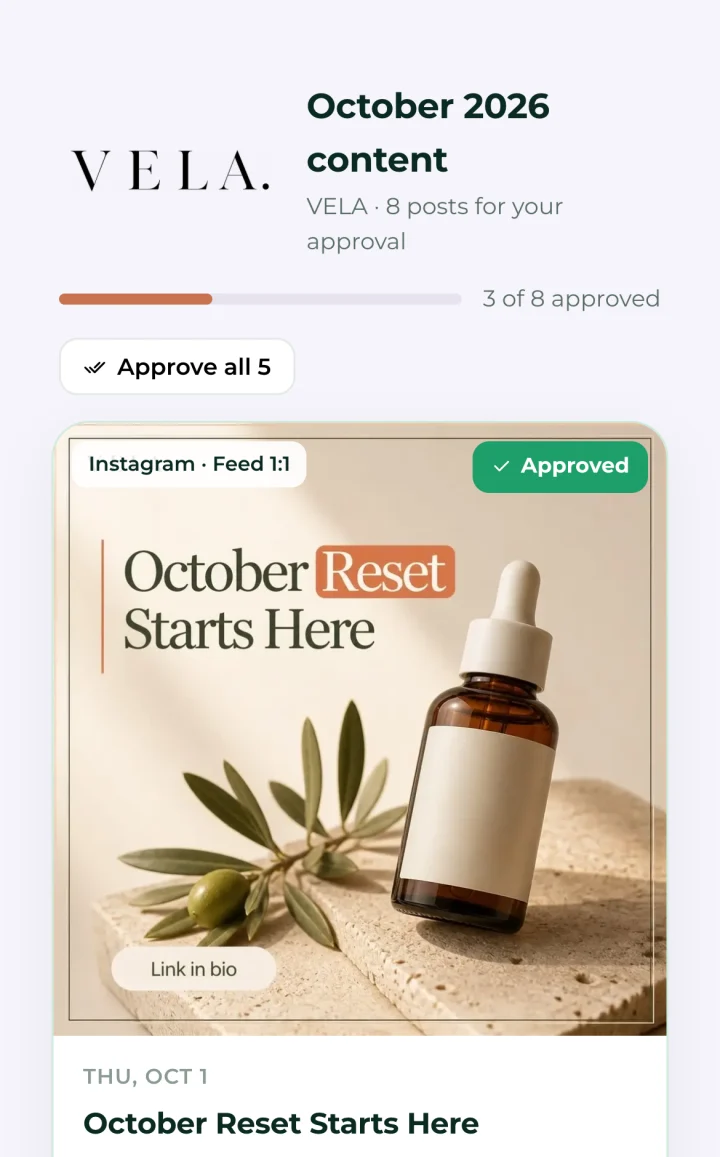
Across the Gulf and the Levant, most clients run their business from WhatsApp, so that is where approvals get done. Send one message with one link to the whole month, not thirty images. The link should open on the phone with no login, show each post as it will appear, and let the client approve or comment on each one in a tap.
Why WhatsApp, and not email
Ask an agency in Riyadh, Dubai or Amman where their clients reply fastest and the answer is nearly always WhatsApp. The owner or marketing manager has it open all day. Email gets checked at a desk, and approval portals get forgotten because they need a password nobody remembers.
So the question is not whether to use WhatsApp for approvals. It is how to do it without losing control.
The wrong way: images in the chat
Sending each design as an image in the chat feels fast and becomes a mess within a week.
- Captions get sent separately from their designs, or not at all.
- The client replies "ok" to one image and nobody is sure which.
- A revised design and the old one sit in the same thread.
- Six weeks later nobody can find what was approved.
The right way: one message, one link
- Write one short message. "Your October posts are ready. Please approve by Thursday so we can start on the 1st." Then the link.
- The link opens the month in the phone's browser. No app to install, no account, no password.
- Every post appears as it will look: the design, the full caption, the channel and the date.
- The client approves or comments on each post. One tap to approve, or a note on that post.
- There is an approve-all button for the client who trusts the month.
- Every answer is recorded against the post, with the date, so there is no argument later about what was agreed.
Writing the message
Keep it to what the client needs to act.
- Say what it is: the month and the brand.
- Give a deadline, with a reason.
- Include the link once, at the end.
- Write in the language you normally use with that client. If you speak Arabic with them, send the message in Arabic.
A WhatsApp message is not the place for a strategy explanation. If the month has something new in it, mention it in one line and keep the detail for a call.
After the client answers
- Thank them, in one line, and say when the first post goes out.
- Fix the changed posts and send the same link back, not a new one. The client should see what changed and nothing else.
- Keep their notes. Planist turns a client's note into a standing rule in that brand's brand brain, so it is applied to every later post, not only the one it was written on.
Questions people ask
- Can clients approve social media posts on WhatsApp?
- Yes. The cleanest way is one WhatsApp message with a link to the whole month, which opens in the phone's browser and lets the client approve or comment on each post without logging in.
- Is it professional to send content for approval on WhatsApp?
- In the Gulf and the Levant it is normal, and often what the client prefers. Keep it professional by sending one clear message and one link rather than a stream of images.
- How do I keep a record of approvals made on WhatsApp?
- Do not rely on the chat. Use a review link that records each approval and note against the post it belongs to, with the date.